 Download for Mac
Claude Code · your requestLaunch our fall collection
01conversation connectedKeep using Codex, Claude Code, or Gemini CLI. StackOS runs on your Mac, gives your agent access to connected tools, and keeps the project plan and results available when you return.
Start with the AI client setup guide or choose a workflow for your first task.
conversation connectedpeople · apps · checks · approvalsproducts · images · inventory Claude Code connected The gap after a great prompt
Real work has steps, people, approvals, apps, and loose ends. StackOS keeps them together after the conversation moves on.
> Here is the API key…
> Update the campaign.
> Remember what you changed. Launch the fall campaignReadyCreate three ad directionsWorkingCanva · Meta AdsReadyKeep your AI tool. Add a complete way of working.
Ask in Codex, Claude Code, Gemini, or another AI tool. StackOS shows you the full plan, then keeps every step and result connected.
Request receivedReady to reviewReady to startWorkingCompleteA complete journey, not a one-off prompt
You stay in the AI tool you know. StackOS adds the shared plan, progress, and memory that real work needs.
Stay in Codex, Claude Code, Gemini, or the assistant you already use.
“Launch our fall collection”Your request and chosen workflow become clear steps, owners, checks, and approvals.
7 steps preparedChange the order, add context, or approve the plan when it looks right.
ready for approvalYour AI works across the apps you connected while StackOS keeps the sequence visible.
step 4 of 7See what finished, what changed, what needs attention, and where every result lives.
work completeconnectedworkingwaitingon trackNot just for software teams
StackOS does not replace the software your team already uses. It organizes the work that moves between people, AI tools, and business apps—from the first request to the final result.
→→→→→→→→→Your AI assistant still thinks and acts. Your business apps still hold the work. StackOS gives the whole job a shared plan, visible progress, and a memory that survives the chat.
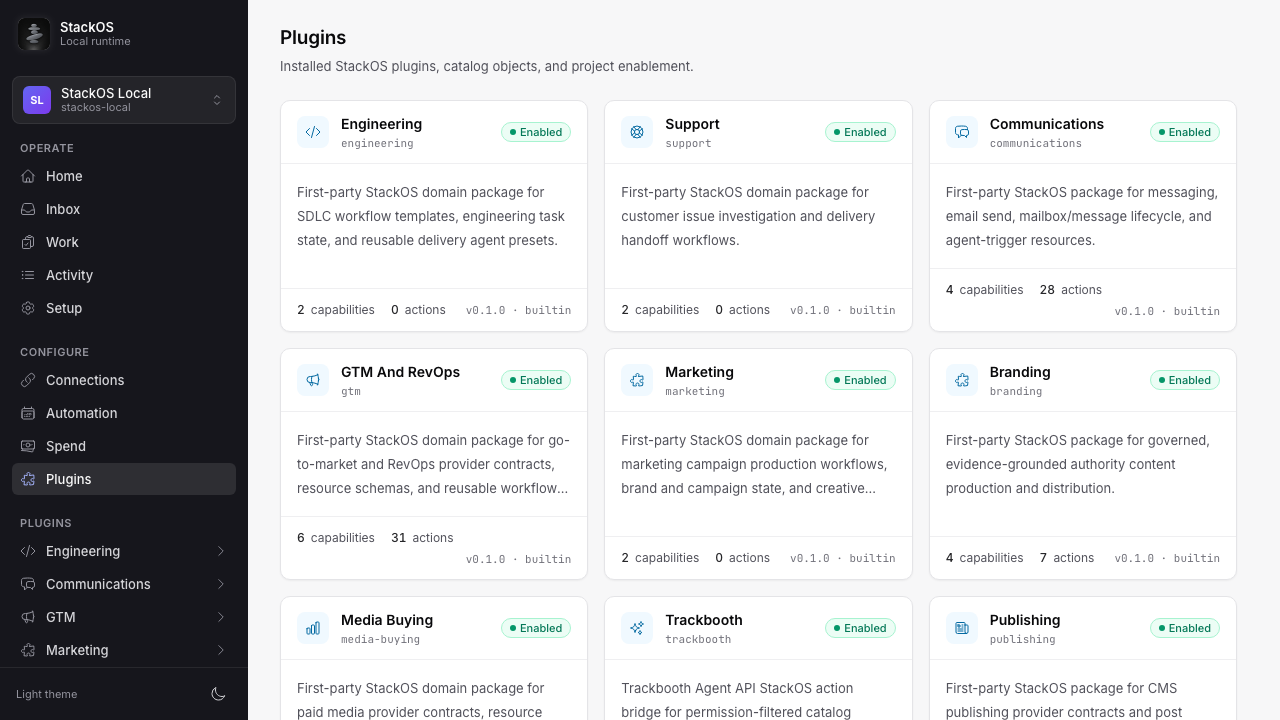
Real screens from the product
StackOS gives you one place to see what is connected, what is moving, what is blocked, and how a complicated piece of work fits together.
Your saved logins stay private
StackOS keeps saved logins inside the app on your Mac. Your AI tool can ask StackOS to use Slack, WordPress, Shopify, or another connected app without receiving the private login.
Your private workspaceasks StackOS to use a connected app
never sent to the AI toolDONECodex, Claude Code, or Gemini works from your request and the current plan.
Only the right step can use the right connected app, and the login stays private.
Shopify, Slack, WordPress, or another tool completes the requested action.
Direct answers
StackOS turns a request from your AI tool into a visible workflow with clear steps, connected tool actions, durable status, and recorded results.
No. You keep working in your preferred AI tool. StackOS gives that tool an organized, permission-aware way to plan the job, use connected apps, and keep the result.
StackOS runs locally on your Mac. It keeps workflow state and credential references local while approved connected providers perform their bounded actions.
Start with the tools you already use
Install StackOS on your Mac, connect your AI tool, then add the business apps you already rely on. Your first workflow can start from the same conversation you use today.
Latest release · Apple siliconDownload for MacDMG